
This function is experimental. Users should check inputs and outputs carefully before relying on them, particularly when inputs are AI generated.
Why use an MCP Server?
MCP ("Model Context Protocol") is an open-source standard for connecting AI applications to external systems. See https://modelcontextprotocol.io/ for more details on this protocol.
Vulcan's MCP Server enables direct access to selected Vulcan functionality for desktop AI clients (e.g., Claude or Cursor) or command-line scripts - without using the browser app:
Turn CSV files in the format created by the Geometry section (saved in input/base_models) into HEM input files (saved in input/batch_parameters/base_json)
View and edit the batch parameter files used in the Scenarios section, and create a Batch Config
Run a Batch Config, and check for progress and available outputs
Calculate metrics in a similar way to the Results section
This can be helpful to automate design option testing, input sensitivity checks, or deeper analysis of outputs.
Set up Instructions
Requirements
Vulcan's MCP helper is installed with npm, so requires Node.js 18 or later and npm. For help installing Node.js and npm, see https://docs.npmjs.com/downloading-and-installing-node-js-and-npm
Models saved by the current app record their HEM model version, and need @vulcan-energy/mcp-helper 0.2.0 or later and Google Chrome installed. On first use, the helper downloads that exact version from usevulcan.app (about 12 MB for Rust, 75 MB for Python), verifies it, and caches it. Point the helper at the same workspace folder the browser app uses.
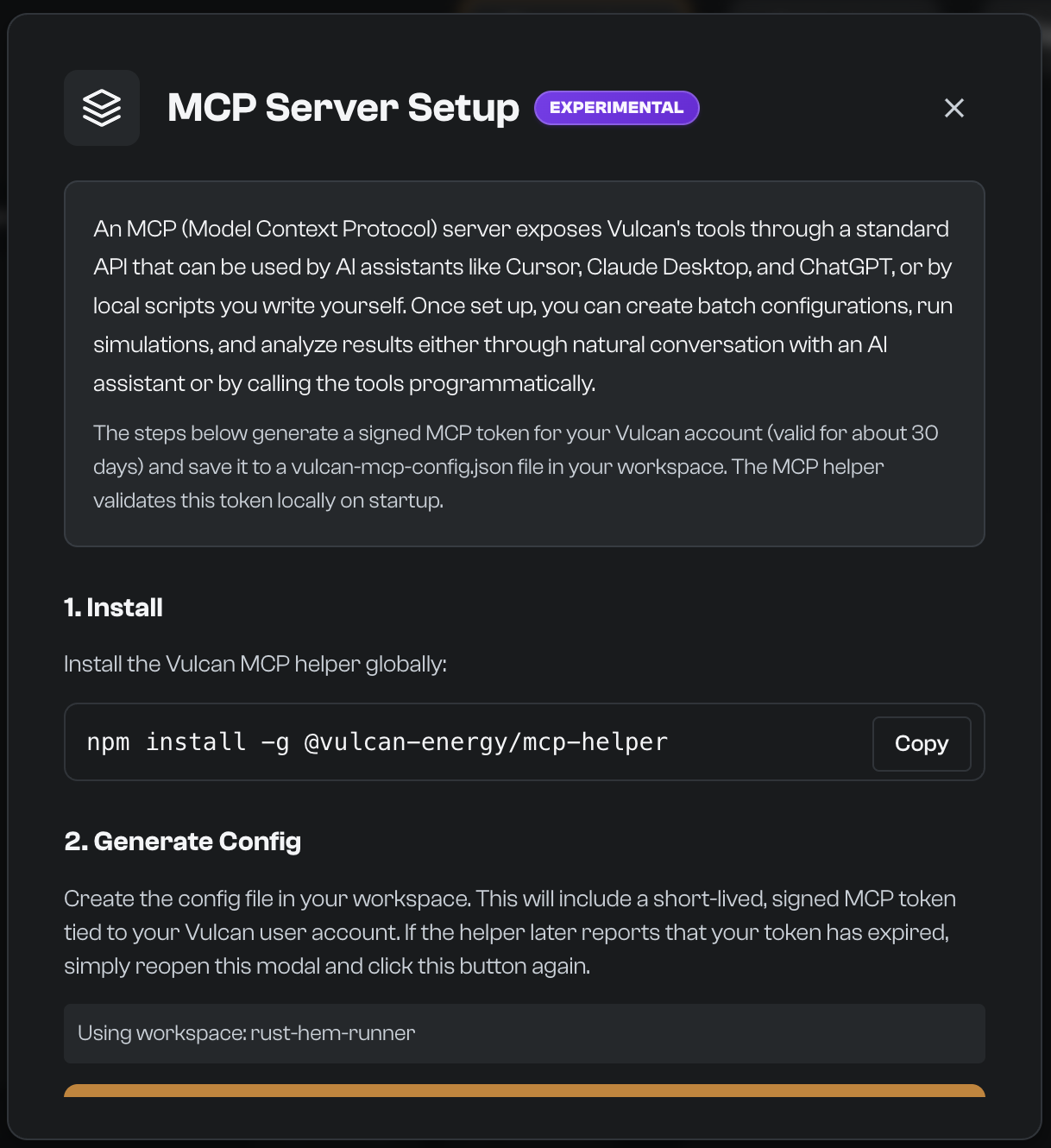
You will also need to create a vulcan-mcp-config.json file. This file can be created in the Integrations menu in the Profile menu dropdown, by clicking Generate Config File. It will be created in your workspace, as Vulcan tools and Analyst interact with files there in the same way as the browser app. This file contains a license_token associated with your Vulcan authentication, that remains valid for up to seven days (less if your Pro seat ends sooner). It is verified on your own machine, so the helper keeps working offline until it expires; then generate a new config from the same place. Vulcan Pro includes both Vulcan tools and Analyst; see Plans and billing.
Installation
Install the helper globally:
npm install -g @vulcan-energy/mcp-helper
From your Vulcan workspace, start the helper:
vulcan-mcp-helper
By default, the helper runs at http://127.0.0.1:5000/mcp.
Connecting an MCP client
Every request to the helper's /mcp endpoint must carry your token in an Authorization header. Requests without it are rejected. The /health check does not need the token. The MCP client config step in the Integrations modal shows a ready-made snippet containing your token once the config file has been generated. Do not commit or share this client configuration.
Cursor Desktop configuration
Add the following JSON to your Cursor MCP configuration (~/.cursor/mcp.json or Cursor settings), replacing the placeholder with the license_token value from vulcan-mcp-config.json:
{
  "mcpServers": {
    "vulcan": {
      "url": "http://127.0.0.1:5000/mcp",
      "headers": {
        "Authorization": "Bearer <license_token from vulcan-mcp-config.json>"
      }
    }
  }
}
Restart Cursor after changing MCP configuration.
Claude Code configuration
Once Claude Code and vulcan-mcp-helper are installed, register the helper with its Authorization header:
claude mcp add --transport http vulcan http://127.0.0.1:5000/mcp --header "Authorization: Bearer <license_token from vulcan-mcp-config.json>"
To verify that the helper is running, open:
curl http://127.0.0.1:5000/health
Tool use
Start the MCP server
To start the server, from your workspace run:
vulcan-mcp-helper
Or specify the config and port:
vulcan-mcp-helper --config /path/to/vulcan-mcp-config.json --port 5000
CLI options:
--config <path> - Path to config file (default: ./vulcan-mcp-config.json)
--port <port> - Port to listen on (default: 5000, or HELPER_PORT env var if provided)
--help, -h - Show help message
On start, the helper prints the loaded config, the workspace, and the MCP endpoint.
Available tools
The following tools are available for use. When vulcan-mcp-helper is integrated as an MCP server with Cursor or Claude, the client will handle connecting to the server, discovering tools, calling them with proper formatting and handling responses.
vulcan_merge_csv_to_json: Convert CSV geometry (such as that created by the Geometry section) to JSON inputs that can be run in HEM
csv_path (required, string): Path to the CSV, relative to the workspace or absolute
output_path (optional, string): Output JSON path (defaults to input/batch_parameters/base_json/{csv_filename}.json)
schema_path, defaults_path (optional, string): Custom schema or defaults, for unpinned (older) CSVs only
vulcan_list_parameters: List parameter categories
category (optional, string): Filter by category name (e.g., base_json, heat_source_wet)
vulcan_view_parameter: View parameter details
category (required, string): Parameter category (e.g., heat_source_wet, controls, base_json)
parameter_id (required, string): Parameter ID (filename without .json extension)
vulcan_save_parameter: Create/edit parameters
category (required, string): Parameter category
parameter_id (required, string): Parameter ID (filename without .json extension)
content (required, object): Parameter JSON content
markdown_content (optional, string): Optional markdown documentation
vulcan_create_batch_config: Create batch configurations
config_name (required, string): Configuration name (saved as {config_name}.json)
base_model (required, string): Base model filename (without .json extension)
weather_file (optional, string): Weather file in input/batch_parameters/weather_files (with or without .epw extension). Required only for unpinned (older) models; omit it to use the HEM model version's reference weather
wrapper (optional, string): Model wrapper (e.g., fhs_compliance, fhs_assumptions)
parameters (required, object): Object mapping category to array of parameter IDs
vulcan_run_batch: Run batch simulations asynchronously
config_name (required, string): Configuration name (with or without .json extension)
job_id (optional, string): Custom job ID (defaults to mcp_{uuid})
vulcan_get_batch_status: Check batch progress
job_id (optional, string): Job ID returned from vulcan_run_batch
config_name (optional, string): Configuration name (alternative to job_id)
Note: Either job_id or config_name must be provided.
vulcan_merge_csv_to_json, vulcan_create_batch_config, and vulcan_run_batch also accept target_manifest and target_manifest_sha256 (optional, string; supply both or neither) as an offline override for the downloaded HEM model version.
vulcan_list_batch_models: List models from completed batch
config_name (required, string): Configuration name (with or without .json extension)
vulcan_list_csv_columns: List CSV columns for a model
config_name (required, string): Configuration name (with or without .json extension)
model_name (required, string): Model name (e.g., "scenario_1_0")
vulcan_calculate_metrics: Calculate metrics from standard core result files created by model runs. For compliance-only outputs, use the Vulcan app or inspect the relevant report files directly.
config_name (required, string): Configuration name (with or without .json extension)
model_names (required, array): Array of model names to calculate metrics for
metric_definitions (required, array): Array of metric definition objects. Each needs column or name:
id (optional, string)
name (optional, string)
column (optional, string)
function (optional, enum): "sum", "average", "peak", "min", "cost", "sumIf", "averageIf", "countIf"
comparator (optional, string): For conditional metrics (">=", "<=", ">", "<", "=")
threshold (optional, number): For conditional metrics
The remaining arguments apply to the whole call, not to each metric:
time_range (optional, object): Time range filter
start (optional, number): Start timestep
end (optional, number): End timestep
tariff_file_path (optional, string): Path to tariff CSV (required for cost metrics)
tariff_column_index (optional, number): Zero-based index of tariff column (required for cost metrics)
Tool use outside MCP clients
For normal use, call these tools through an MCP client such as Cursor or Claude. Direct HTTP use is mainly for advanced testing or custom integrations.